YouPush: Your Whole YouTube Post-Production Stack
How it works Features Pricing FAQ Free tools Blog Help Try free Buy Solo · $79
DESKTOP APP

Replace your $300–800/yr YouTube
tool stack with one app you buy once.

Drop a finished video. YouPush transcribes it, writes SEO-tuned titles and descriptions in your voice, builds thumbnails, cuts captioned Shorts, and uploads everything to YouTube on your schedule. It all runs on your machine, in one pass.

Free tier: 3 videos a month, no card needed. Connect your channel in one click, no Google Cloud setup. Running an agency? See Studio →

Bring your own API keys From $79 one-time (no subscription) Mac & Windows
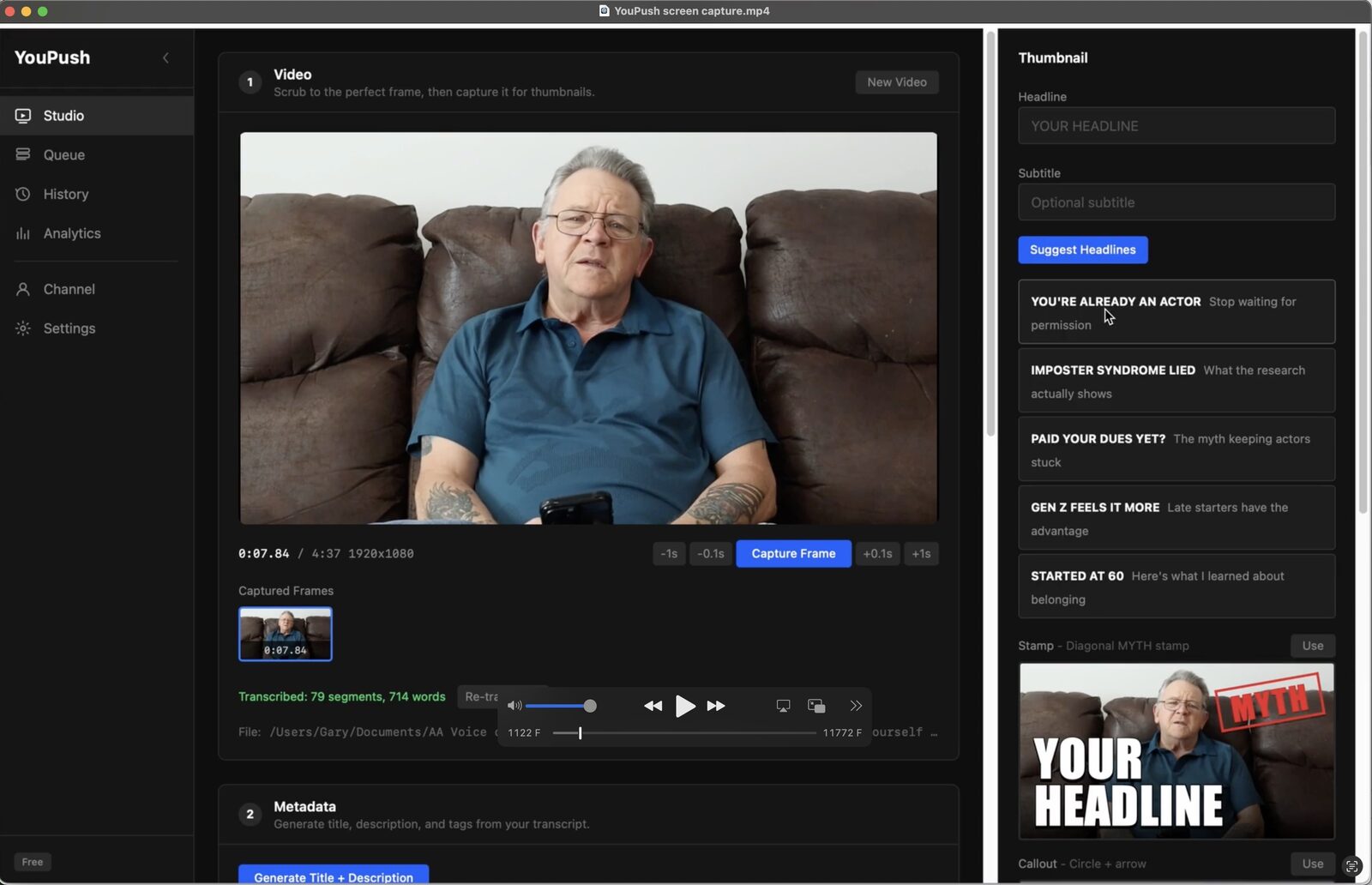
YouPush Studio view with video loaded, thumbnail panel, and headline suggestions

The math everyone else
hopes you won't do.

YouPush · buy once

  • From $79 one-time. Buy it once, no recurring license fee.
  • Titles, thumbnails, Shorts, and upload in one app
  • Your footage stays on your computer
  • You own your API keys, pennies per video
  • No credit caps, no usage meters

The subscription stack

  • × $15–50/month each, forever
  • × Often single-purpose: clipping only, or titles only
  • × Your video uploaded to their servers
  • × AI cost hidden inside the monthly price
  • × Per-video credits and usage caps
Comparable tools run $300–800 a year, and none of them does everything YouPush does.
You'd spend more in a single quarter than the entire lifetime cost of YouPush.

Five subscriptions,
or one purchase.

Transcription service$/mo
Title & SEO tool$/mo
Thumbnail maker$/mo
Shorts clipper$/mo
Upload scheduler$/mo
YouPush
All five jobs, one timeline, your machine.
$79 one-time

YouPush is the bridge between “done editing” and “published on YouTube.” Drop a finished video: it transcribes, writes titles and descriptions grounded in real YouTube and Google search data, generates thumbnails, mines Shorts with captions and branding, and uploads everything on your schedule. You bring your own API keys, with no markup and no credit caps, at pennies per video. Run multiple channels with per-channel voice, colors, and logos. You’re still the editor. YouPush kills the busywork.

See the full workflow in 2 minutes

How does YouPush automate YouTube post-production?

01

Drop your finished video

Drag any video file onto YouPush. MP4, MOV, WebM, MKV, AVI. The video file stays on your computer.

YouPush Studio drop zone
02

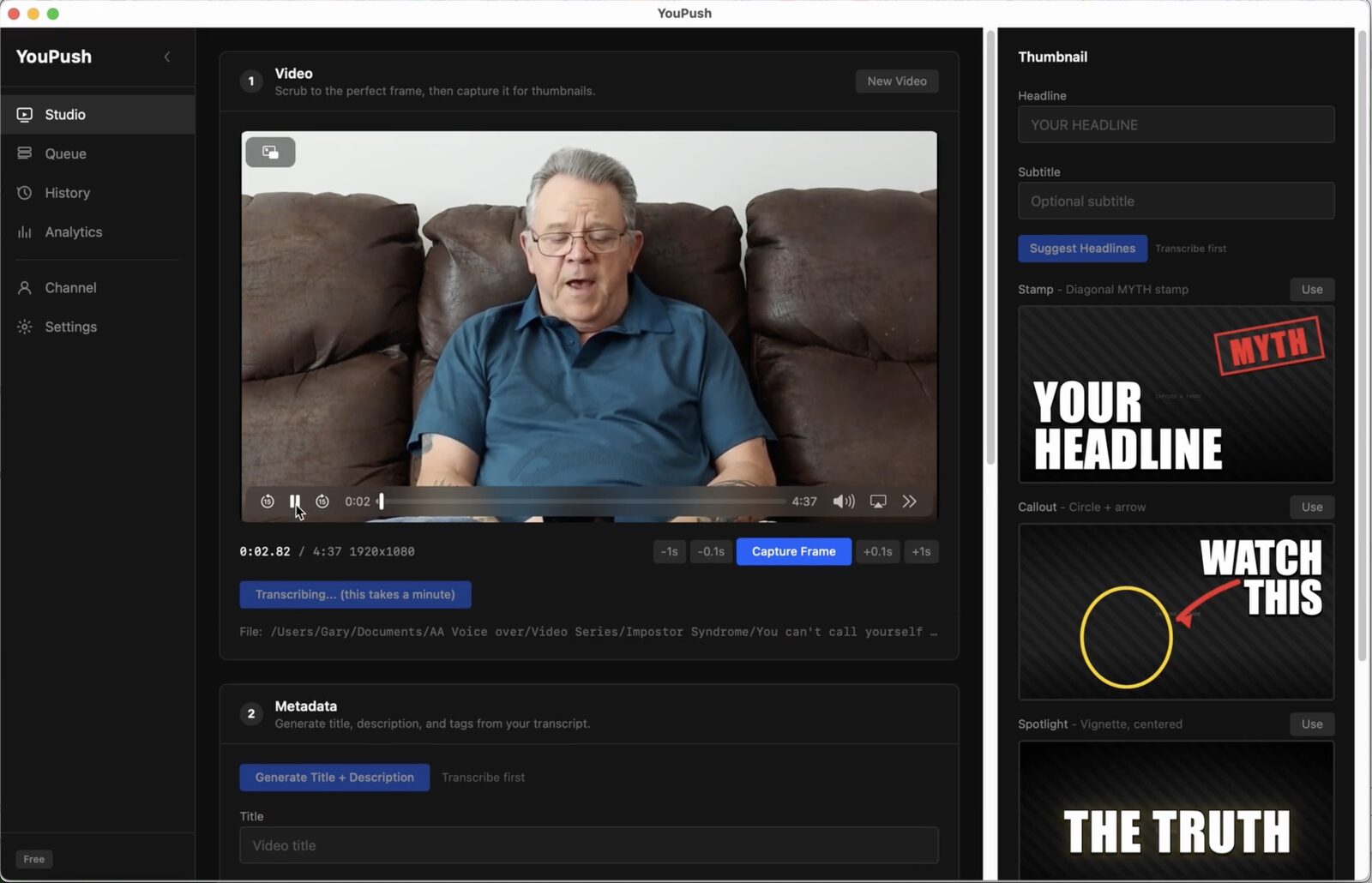
YouPush transcribes and generates

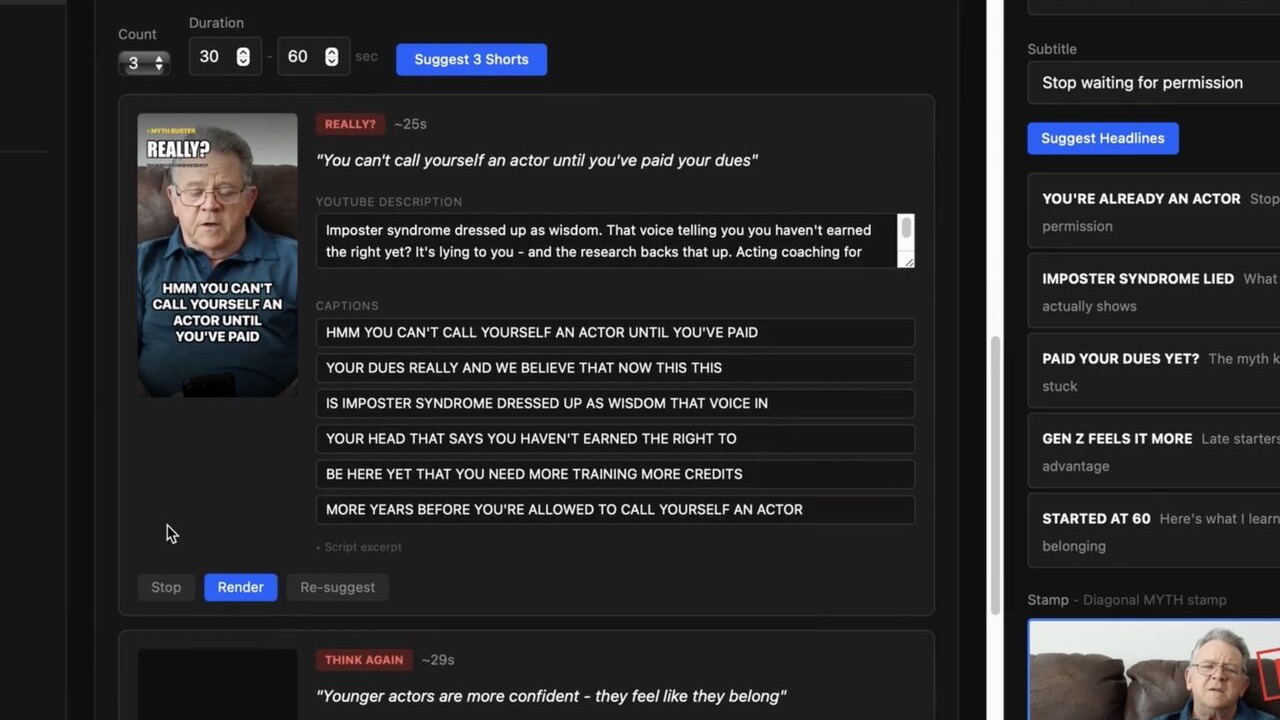
Whisper transcribes the audio. YouPush analyzes YouTube and Google search trends for your topic, then Claude writes titles, descriptions, and tags optimized for both your voice and search discovery. Shorts get mined from the strongest moments. Thumbnails render from your brand colors across 10 styles.

YouPush transcription and thumbnail generation
03

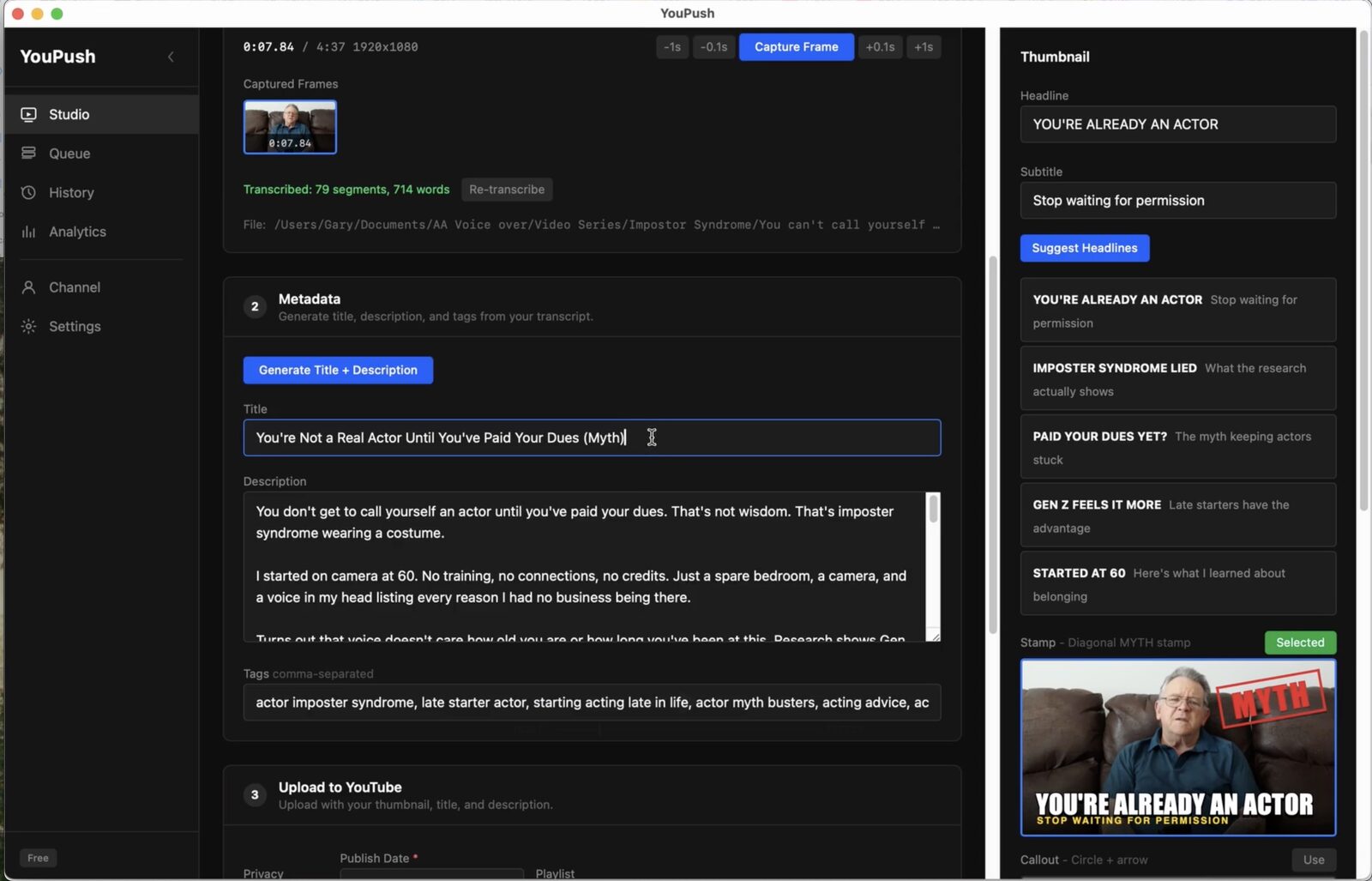
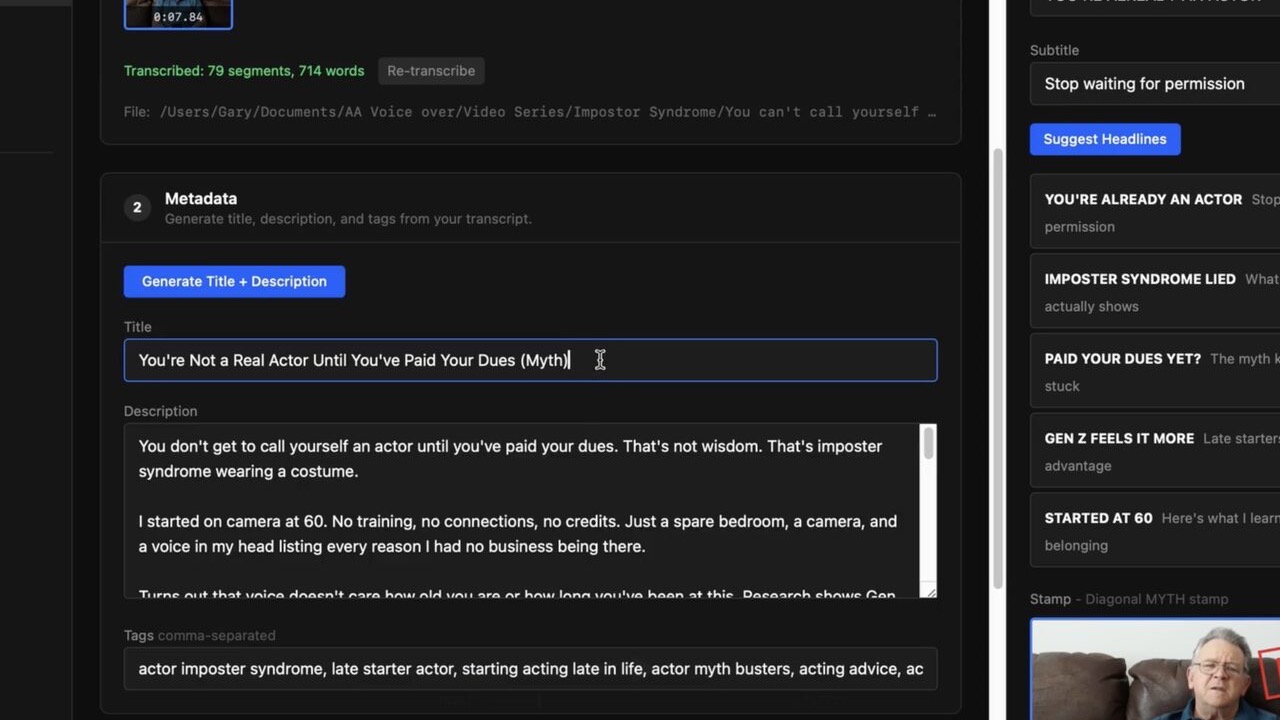
Review and edit everything

Every title, description, tag, and thumbnail is a draft. Swap a thumbnail style. Reword the description. Pick which Shorts to keep. Nothing publishes until you approve it.

YouPush editable title, description, tags, and thumbnail
04

Push to YouTube on your schedule

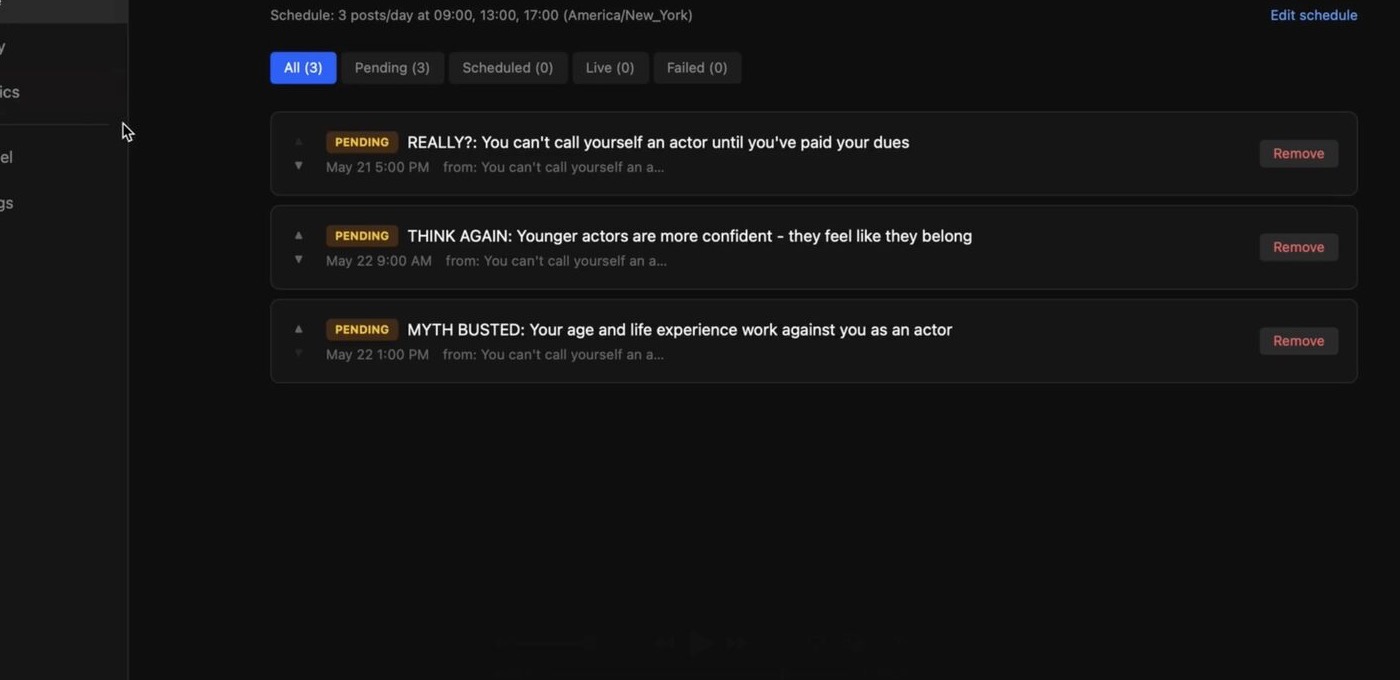
Queue the long-form video and drip the Shorts across the week. YouPush uploads everything directly to YouTube via OAuth. Set it and walk away.

YouPush Queue with scheduled uploads

One video in.
Long-form, Shorts, thumbnails, upload.

SEO-Optimized, Voice-Matched AI

Before writing a single word, YouPush analyzes YouTube and Google search trends for your topic. Real autocomplete data, what people are actually searching for, gets fed into the AI alongside your transcript and channel voice rules. Titles, descriptions, and tags come out optimized for discovery and matching your style. A Search Optimization score shows how well your metadata aligns with active search trends. Long videos are automatically chunked for transcription. A clean .txt transcript saves alongside every video.

Shorts with configurable branding

AI identifies clip-worthy moments and renders them as vertical Shorts with word-synced captions. Configure the badge label, end stamp text, or turn them off entirely. Trim start and end times before rendering. Captions stay in the lower quarter so they never cover faces. Caption files export alongside each Short for manual upload to other platforms.

Thumbnails for any format

10 built-in styles: Stamp, Callout, Spotlight, Split, Bold, Neon, Label, Slash, Outline, Blocked. Auto-detects vertical or horizontal video and adjusts the layout. Your brand colors apply to every style. Thumbnails save as PNG next to the video for use anywhere. Upload your own background image or use a captured frame.

Multi-channel with per-channel branding

Run multiple YouTube channels from one app. Each channel gets its own YouTube connection, brand colors, logo, badge labels, end stamp text, voice rules, and description footer. Switch channels in the sidebar and every AI prompt, thumbnail, and Short adapts to that channel's identity.

Upload and export

Upload directly to YouTube via OAuth with thumbnail, captions, end card, and scheduled publish date. Or export a branded video with your logo (upper-right), burned-in subtitles, and badge overlay for manual upload to Instagram, TikTok, Facebook, or any platform. Toggle subtitles and badge on or off per export.

Analytics, history, and drip scheduling

View subscriber count, video performance, and engagement inside the app. Read and reply to YouTube comments without opening a browser. History tracks every upload. Queue your Shorts with configurable post times and daily limits. FFmpeg ships with the app so everything works out of the box.

If you publish weekly on YouTube,
this saves your post-production night.

WEEKLY CREATOR

One recording session, six uploads.

Record a 25-minute episode. YouPush gives you the long-form upload, 3-5 vertical Shorts with captions, branded thumbnails, and descriptions written in your voice. Everything scheduled across the week.

1 video
→ 6 uploads
PODCASTER

Stop hiring editors for the packaging.

Drop your recorded episode. YouPush extracts the strongest moments as Shorts, writes descriptions, and uploads the full episode plus clips to your YouTube channel. You keep making episodes. YouPush handles the publishing.

~4h saved
per episode
EDUCATOR

Turn lessons into a content pipeline.

Your full lesson uploads as a long-form video. YouPush clips the best 20-second hooks as teaser Shorts with branded thumbnails and a scheduled drip. The lesson sells itself across the week.

3x reach
same recording
COMMENTARY / HOW-TO

Your voice, not a bot's.

Set your tone, vocabulary, and description footer once. YouPush writes every title and description in your style. Viewers never see generic AI output. You still approve everything before it goes live.

Your voice
every upload

Honest about API costs.

YouPush uses two AI services: Whisper (OpenAI) for transcription and Claude (Anthropic) for writing titles, descriptions, tags, and mining Shorts.

You provide your own API keys. You pay the AI providers directly. No markup from us, no usage fees, no hidden costs baked into a subscription.

Your video file stays on your computer. The extracted audio goes to Whisper. The resulting transcript goes to Claude. The final uploads go to YouTube. Nothing passes through our servers.

Service What it does Cost per video
Whisper (OpenAI) Transcribes audio with timestamps ~$0.04
Claude (Anthropic) Writes titles, descriptions, tags, Shorts ~$0.08-0.15
Total per video ~$0.12-0.19

Estimates based on a 25-minute video. Actual costs depend on video length and how many Shorts you generate. Both providers offer free trial credits for new accounts.

I built this for myself first.

I'm not a software company. I'm one guy with a YouTube channel, and I got tired of losing hours to the part that comes after the video is done: writing titles, making thumbnails, picking tags, cutting Shorts, captioning them, and getting it all scheduled on the right days.

So I built YouPush to take that off my plate. I wasn't trying to sell anything at first. I just wanted those hours back. Here's how I actually use it. Once a month I sit down and record a batch, four or five long-form videos in one session. I drop them into YouPush and it turns each one into a finished package: the long-form video plus five or six Shorts, with thumbnails, titles, descriptions, and captions done. Then it queues the whole month, dozens of uploads, and schedules them to YouTube across the weeks. I don't babysit it.

In its first month running my own channel through it, that channel went from 39 subscribers to 57. The videos didn't change. What changed is the titles, thumbnails, and tags YouPush builds from what people are actually searching for.

One honest caveat. I built it around my own format, which is me talking to the camera, and it works beautifully for that. I'm less sure how well the Shorts detection handles multi-speaker footage or very different kinds of long-form, because I haven't run enough of it. So if you try it and something falls short, tell me. I'm the one who reads it, and right now your feedback is the only thing steering what I build next.

I'm still the editor. YouPush just eats the busywork.

Actively developed. 24 releases since launch. See the changelog →

What does YouPush cost?

FREE
$0/ forever
  • 3 videos per month
  • 10 Shorts per month
  • All 10 thumbnail styles
  • Direct YouTube upload
  • Watermark + "Made with YouPush" credit in descriptions
  • No credit card needed
Download Free →
YOUPUSH SOLO
$79one-time

Launch price. $99 after launch.

  • Unlimited videos & Shorts
  • No watermark
  • 1 YouTube channel
  • All v1.x updates included
  • Mac & Windows
  • 30-day money back
Buy Solo
Secure checkout via Stripe. 30-day money-back guarantee.
YOUPUSH STUDIO
$249one-time
  • Everything in Solo
  • Up to 3 YouTube channels
  • 3 machine activations
  • Priority support
  • All v1.x updates included
  • Perfect for agencies
Buy Studio
Secure checkout via Stripe. 30-day money-back guarantee.

Similar tools (none of which do everything YouPush does) charge $300–800/year in subscriptions.
You’ll spend more in one quarter than the entire lifetime cost of YouPush.

Questions.
Answered.

What data leaves my machine? +
Your video file stays on your computer. Extracted audio goes to OpenAI Whisper for transcription. The transcript goes to Claude for metadata. Final uploads go directly to YouTube. Nothing routes through YouPush servers.
What are "your own API keys"? +
YouPush uses Whisper (OpenAI) for transcription and Claude (Anthropic) for writing. You create accounts, generate API keys, and paste them into Settings. Both offer free trial credits. After that, you pay them directly, roughly $0.12-0.19 per video.
What does "in your voice" mean? +
Your channel profile stores voice rules, tone, vocabulary preferences, and a description footer. Before generating anything, YouPush analyzes YouTube and Google search trends for your topic. Real autocomplete data showing what people are actually searching for. That data plus your transcript and voice rules get injected into every prompt. Titles and descriptions come out matching your style and optimized for search discovery. A Search Optimization score shows how many trending terms your metadata matches. You review and edit everything before it goes live.
Can I edit the AI output before it publishes? +
Always. Every title, description, tag, thumbnail, and Short is a draft. Edit any of it. Swap thumbnail styles. Reword descriptions. Remove a Short. Nothing publishes until you approve it.
What platforms are supported? +
YouPush is available for Mac (Apple Silicon and Intel) and Windows (64-bit). Both versions have the same features. Click any Download button and choose your platform.
Can I connect my YouTube channel? +
Yes, in one click. YouPush signs you in with Google and uploads directly to your channel — no Google Cloud setup. Prefer to use your own Google credentials? You still can, under Settings → advanced.
What are the free tier limits? +
3 videos and 10 Shorts per month. All features work, but generated content carries a small watermark. No time limit, no credit card. Use it as long as you want. Buy a license when the limits get in the way.
Is there a subscription? +
Both Solo ($79 launch / $99 after) and Studio ($249) are one-time purchases with no recurring fee for the app. All updates within v1.x are included; future major versions (v2+) may be separate purchases at a discount for existing owners. The only ongoing cost is the API usage you pay OpenAI and Anthropic directly, about $0.12-0.19 per video.
What if YouTube changes its API? +
The license covers all v1 updates, including API compatibility patches. If YouTube makes a breaking change, we ship a fix.
How does YouPush compare to subscription-based YouTube tools? +
Most YouTube automation tools charge $300-800 per year in subscriptions and run in the cloud. YouPush is a one-time purchase that runs on your machine. Your footage stays local, you control your own API keys, and there are no credit caps or usage meters. The only recurring cost is pennies per video in AI API usage, paid directly to the providers.

Something not covered above?

Ask and we will get back to you.

Stop spending your
post-production night on metadata.

One drag. One approval pass. One app between your finished edit and a published channel.

Buy Solo · $79 Buy Studio · $249 Try free
Free tier: 3 videos/month · Solo $79 / Studio $249 one-time · 30-day money-back · Mac & Windows · BYOK