Shorts safe-zone overlay pack
Drop one of these over your timeline as a guide layer and stop guessing where YouTube's interface is going to land on your Short.
How to use them
- Import the PNG into your editor the same way you'd import any still image.
- Put it on a video track above your footage, stretched across the whole timeline.
- Frame your shot and place your captions using it as the guide.
- Turn the layer off before you export. It has no idea it isn't supposed to be in the finished Short.
Works anywhere you can stack an image over video: Resolve, Premiere, Final Cut, CapCut, Shotcut. There's nothing app-specific about the files, they're just transparent PNGs at the right size. Resolve's own safe-area guides are broadcast title-safe, which is a different thing and won't show you any of this.
The files
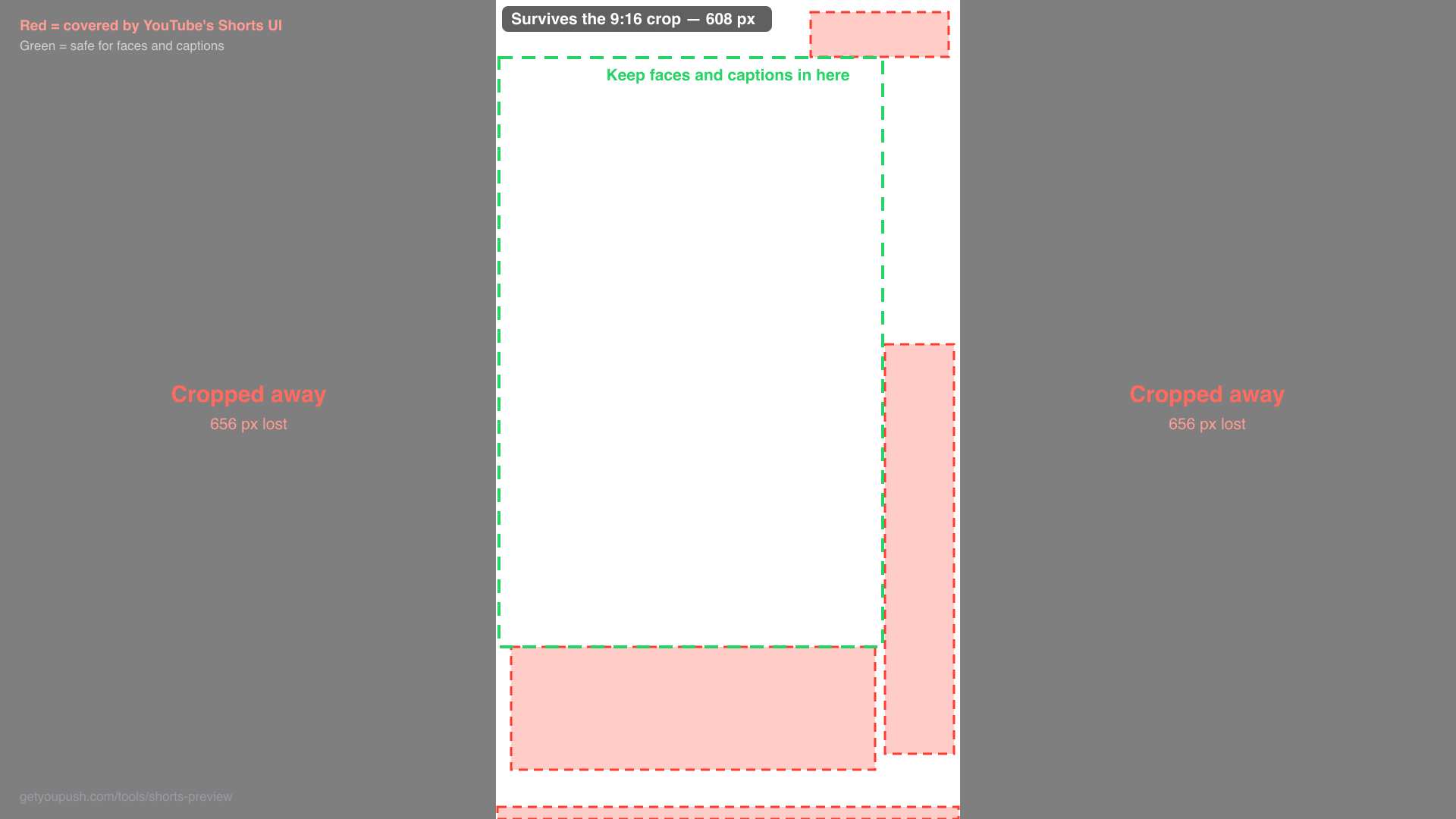
16:9 crop guide
For editing the long video. Shows the centre column that survives the vertical crop, and what the Shorts UI covers inside it.
PNG · 1920×1080Shaded overlay
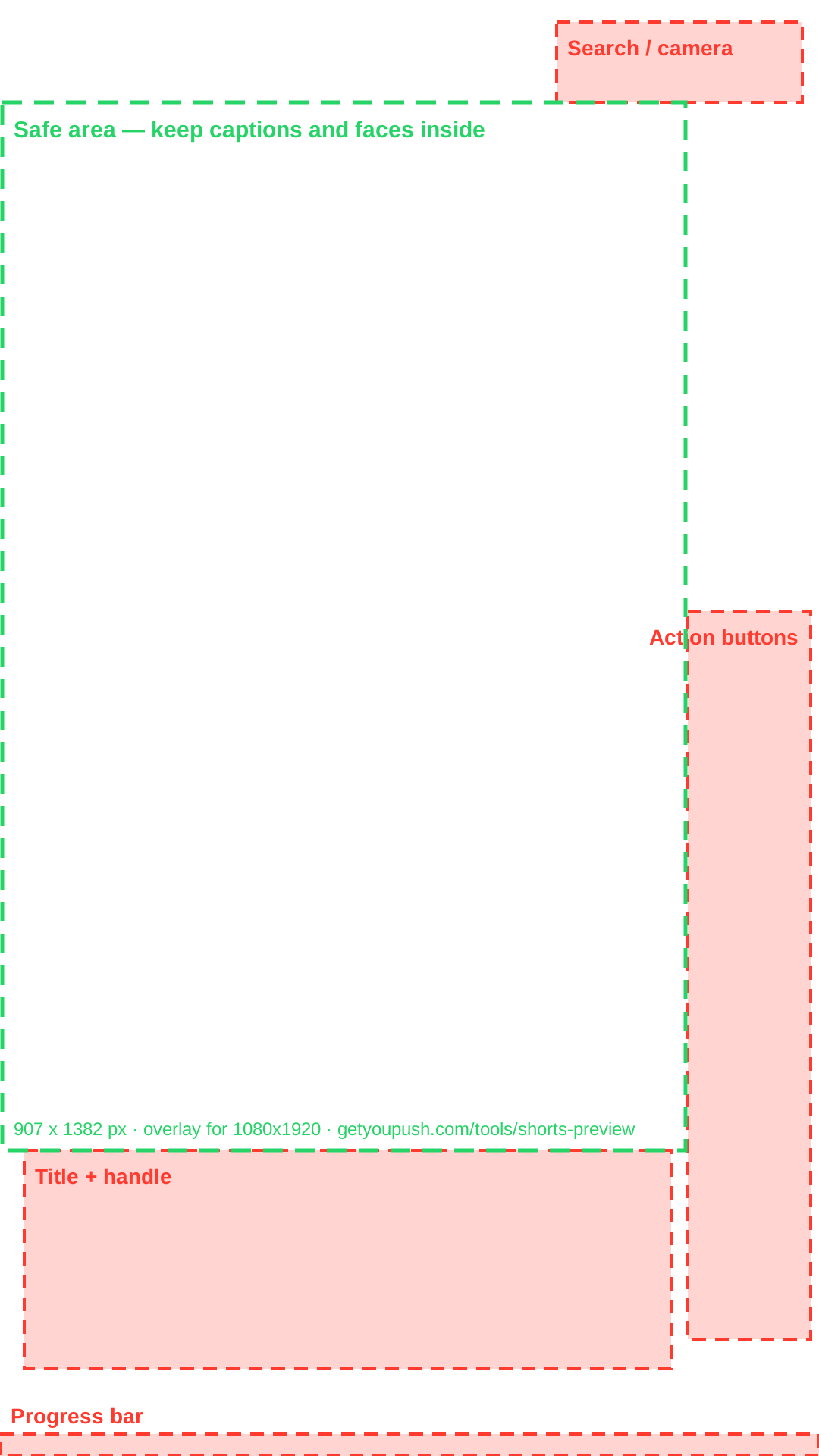
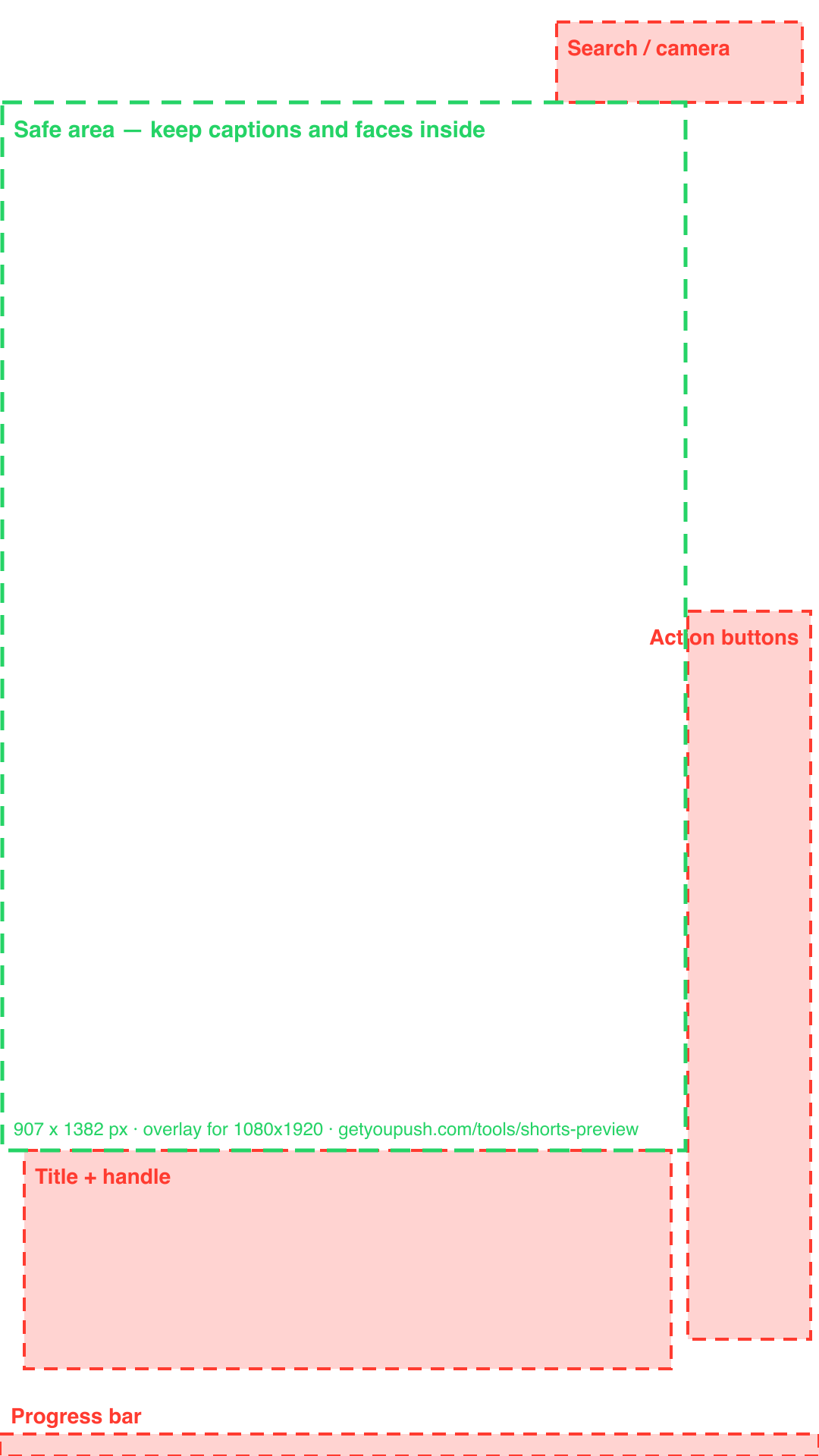
For a 9:16 timeline. Filled zones, loud and obvious while you frame the shot.
PNG · 1080×1920Outline overlay
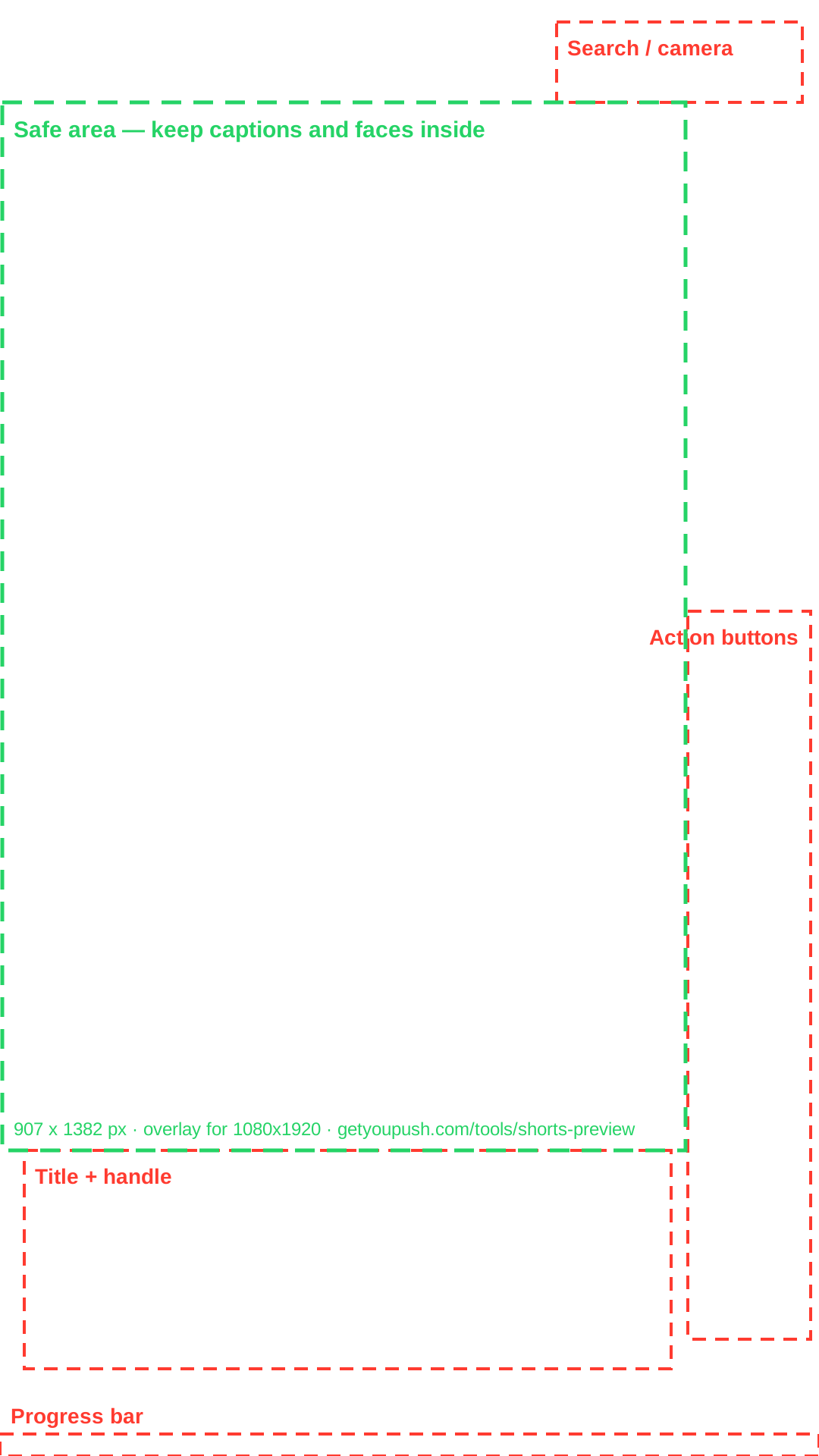
For a 9:16 timeline. Dashed edges only, quieter for leaving on while you work.
PNG · 1080×1920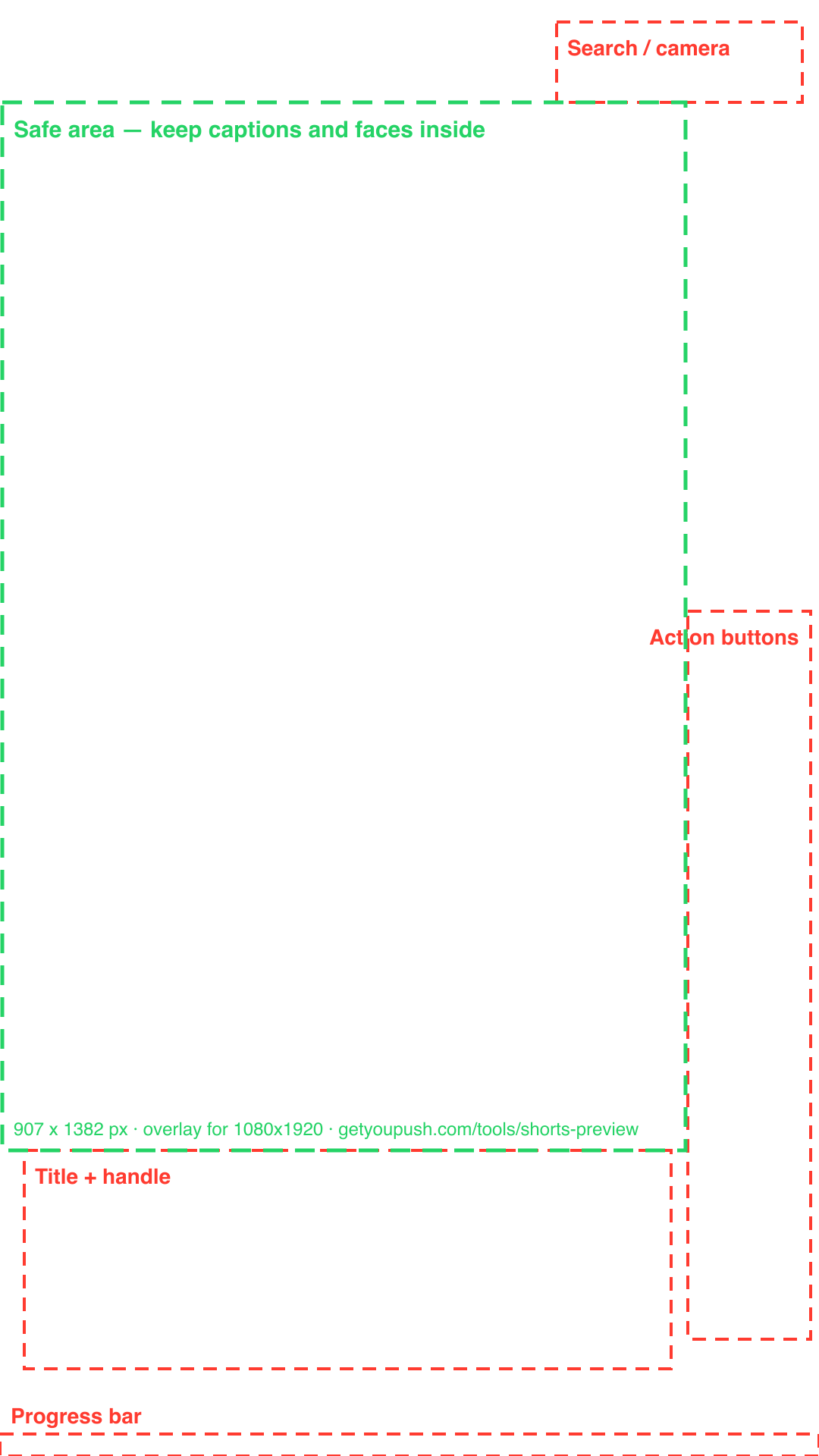
Editable source
All three overlays as SVG, if you want to restyle them.
SVG 16:9 SVG shaded SVG outline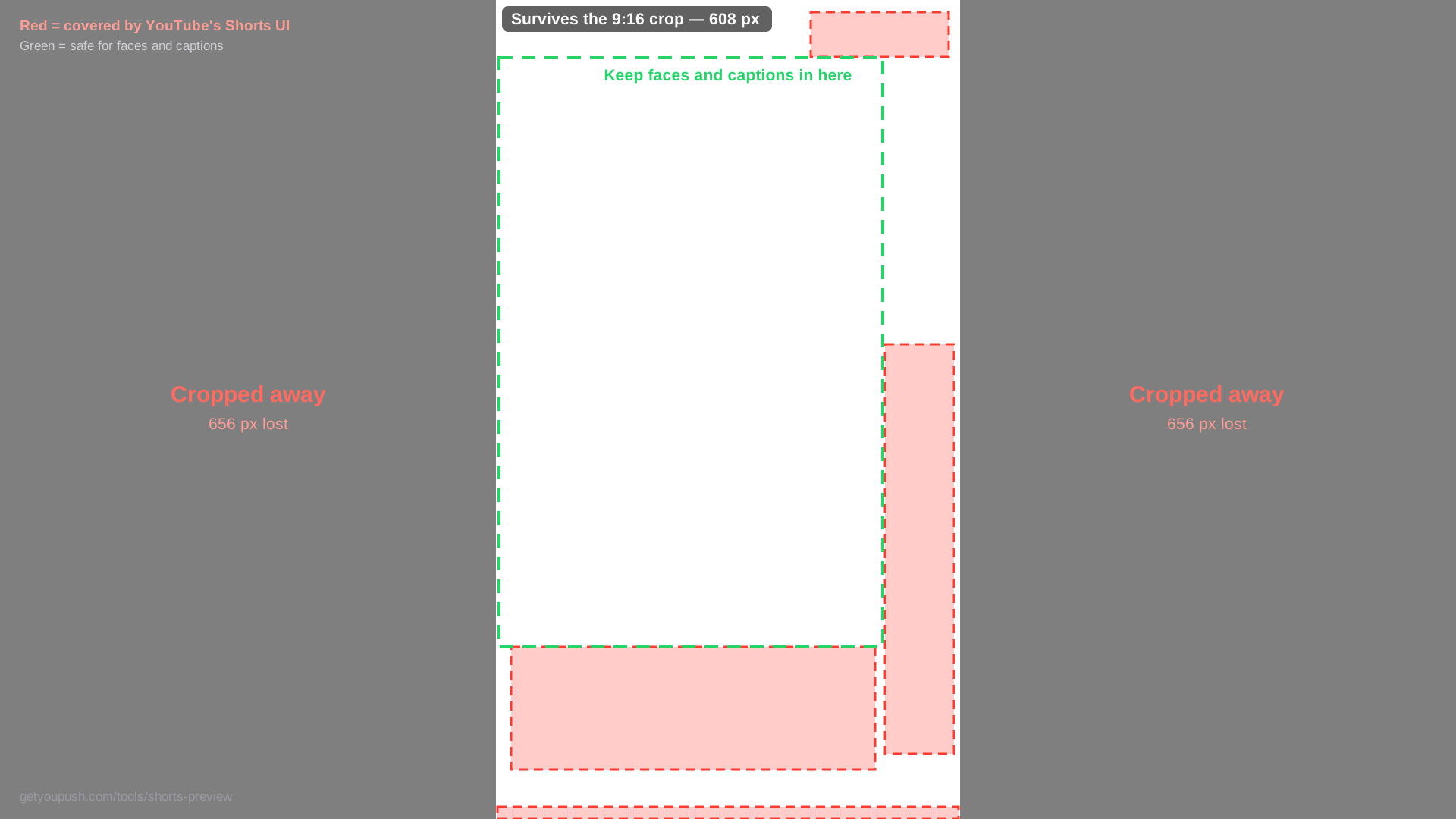
The measurements
For a 1080×1920 frame, these are the regions YouTube's own interface covers on a phone.
| Region | Position | Size |
|---|---|---|
| Action buttons | x 907, y 806 | 162 × 960 |
| Title + handle | x 32, y 1517 | 853 × 288 |
| Progress bar | x 0, y 1891 | 1080 × 29 |
| Search / camera | x 734, y 29 | 324 × 106 |
| Safe area | x 0, y 135 | 907 × 1382 |
Three things worth knowing
Phone is the strict case. On desktop youtube.com the action buttons sit beside the player rather than on it, and the mobile search and camera icons don't exist at all. If the framing reads on a phone, it reads everywhere.
A 9:16 centre crop of a 16:9 1080p frame keeps only the middle 607-pixel column. Half the damage happens before the safe zones apply at all, which is why the simulator draws crop guides for non-vertical sources.
These positions track YouTube's current mobile layout and shift with app releases. If something looks off, check it against the live simulator, which is generated from the same numbers as these overlays.
About YouPush
YouPush remains in private use and is no longer offered for new downloads or purchase.
Current status and support →